Best Design Platforms: A Comprehensive Guide to Enhance Your Creative Workflow
In today’s fast-paced world, having access to the best design platforms is essential for both professional designers and creative enthusiasts. Whether you are a graphic designer, web designer, or UX/UI specialist, the right tools can help streamline your creative process, increase productivity, and push your designs to the next level. In this article, we’ll explore some of the best design platforms that are worth considering in 2025.
Why Use Design Platforms?
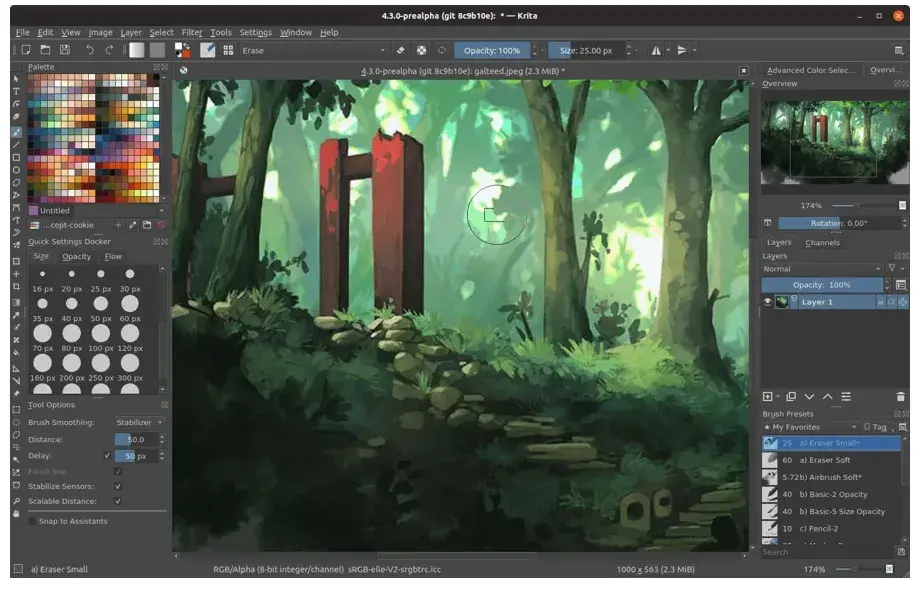
Design platforms provide a one-stop-shop for creating, editing, and sharing designs. They offer powerful tools that simplify complex tasks, making it easier for designers to focus on creativity. Whether you need a platform for photo editing, vector graphics, or website design, these platforms can save you time, reduce effort, and enhance your productivity.
-
Centralized Access: All your design needs in one place.
-
Collaborative Features: Work seamlessly with team members.
-
Wide Range of Tools: From graphic design to web development, the tools cover various needs.
Choosing the right design platform can make a world of difference in the outcome of your projects.
Top Design Platforms to Consider
Here’s a list of some of the best design platforms that you can use in 2025.
1. Adobe Creative Cloud
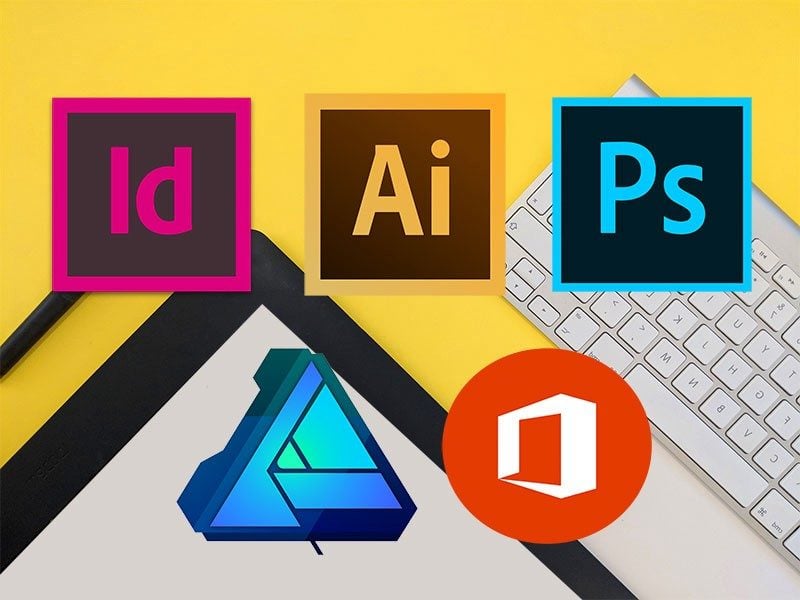
Adobe Creative Cloud is the gold standard when it comes to design platforms. Offering a suite of industry-leading tools like Photoshop, Illustrator, InDesign, and Premiere Pro, Creative Cloud is used by professionals around the world.
-
Key Features:
-
Extensive collection of tools for graphic design, web design, video editing, and more.
-
Cloud storage for easy access to files.
-
Regular updates and new features.
-
Adobe Creative Cloud is ideal for professionals who need advanced capabilities. It’s a comprehensive platform, but it can be expensive for beginners.
2. Canva
Canva is a fantastic option for both beginners and seasoned professionals looking for an easy-to-use platform. With a simple drag-and-drop interface, Canva enables you to create stunning designs quickly, whether it’s for social media, marketing materials, or presentations.
-
Key Features:
-
A user-friendly interface for non-designers.
-
Templates for various design needs.
-
Free and premium options available.
-
Canva is perfect for those who need quick and visually appealing designs without the steep learning curve.
3. Figma
Figma is a powerful tool for UI/UX designers. It’s a collaborative platform that allows multiple users to work on the same design in real time. Its vector-based design tools and ease of use make it an excellent choice for teams working on web and app interfaces.
-
Key Features:
-
Real-time collaboration.
-
Vector-based tools for precise designs.
-
Cross-platform compatibility (works on both Windows and Mac).
-
Figma is an excellent tool for teams working remotely or collaborating on complex UI/UX projects.
4. Sketch
Sketch is another popular platform for UI/UX designers, especially for those working on macOS. It focuses on providing the tools needed for web and mobile interface design. Sketch is known for its clean interface and powerful vector editing tools.
-
Key Features:
-
Lightweight and focused on UI/UX design.
-
Large library of plugins and integrations.
-
Excellent for designing websites and mobile apps.
-
Sketch is great for those working specifically on digital designs for websites and mobile applications.
5. Affinity Designer
Affinity Designer is a cost-effective alternative to Adobe Illustrator. It offers a wide range of vector and raster tools for creating high-quality designs, making it a popular choice for graphic designers and illustrators.
-
Key Features:
-
Affordable one-time purchase (no subscription).
-
Powerful vector and raster tools.
-
Smooth performance and fast rendering.
-
If you’re looking for a professional-grade design tool without the high subscription fees, Affinity Designer is an excellent option.
6. InVision
InVision is a design platform aimed at UI/UX professionals. It allows you to create interactive prototypes, share them with team members, and gather feedback. InVision is widely used for product design and testing, as it provides all the tools needed to create realistic, high-fidelity prototypes.
-
Key Features:
-
Interactive prototyping tools.
-
Collaboration features for teams.
-
Integration with other design tools like Sketch and Photoshop.
-
InVision is great for designers who need to create prototypes and gather feedback on user interactions.
7. Gravit Designer
Gravit Designer is a free, browser-based design tool suitable for vector and graphic design. It’s perfect for both beginners and professionals looking for a flexible and easy-to-use design platform.
-
Key Features:
-
Vector-based design tools.
-
Available in-browser and as a downloadable app.
-
Cross-platform compatibility.
-
Gravit Designer is ideal for those who need a free, versatile design platform that works across multiple devices.

How to Choose the Best Design Platform for You
Choosing the right design platform depends on your specific needs and workflow. Here are a few things to consider when making your decision:
1. Design Type
If you’re focused on graphic design and branding, platforms like Adobe Illustrator or Affinity Designer are ideal. For UI/UX design, Figma or Sketch might be better options due to their focus on interactive and responsive design elements.
2. Collaboration Features
If you work as part of a team, platforms like Figma, InVision, or Canva offer real-time collaboration features that allow multiple people to work on the same design simultaneously.
3. Budget
Your budget will also play a key role in your choice. While Canva offers a robust free version, other tools like Adobe Creative Cloud or Sketch can be costly with monthly or annual subscription fees.
4. Learning Curve
Some platforms are easier to use than others. Canva and Gravit Designer are beginner-friendly, while Adobe Photoshop and Illustrator may require more time to master.
5. Platform Compatibility
Ensure that the platform you choose is compatible with your operating system. Sketch, for example, is only available on macOS, while Figma is web-based and can be used on both Windows and Mac.
Benefits of Using Design Platforms
The benefits of using a design platform are clear: they help improve efficiency, offer powerful tools, and provide access to a community of designers. Here are some of the top benefits:
-
Time-saving: With ready-made templates and collaborative tools, you can work faster and more efficiently.
-
Quality Designs: Design platforms help you create high-quality, professional designs with ease.
-
Innovation: Many platforms offer unique features and integrations that encourage creative innovation.
FAQs About Design Platforms
Q: Are design platforms only for professional designers?
A: No, many design platforms like Canva and Gravit Designer are accessible to beginners and non-designers. They offer templates and easy-to-use tools for creating professional-looking designs.
Q: Do I need a subscription to use these platforms?
A: Some platforms like Canva and Gravit Designer offer free versions, while others like Adobe Creative Cloud and Sketch require a paid subscription.
Q: Can I collaborate with others on these platforms?
A: Yes, many platforms such as Figma, InVision, and Canva offer collaboration features, making it easy to work with teams and share designs in real time.
Conclusion
The right design platform can make a significant difference in your creative workflow. Whether you are a professional designer or just starting out, choosing the best platform for your needs will help streamline your process and improve your final product. From Adobe Creative Cloud for professionals to Canva for beginners, there’s a platform for every designer.
For more information on design tools and automation platforms, visit DUYTHIN.DIGITAL.